


Introduction
Instagram profiles often leave a lasting first impression, and the profile picture plays a major role in that identity. Whether you want to view a creator’s logo more clearly, save a friend’s profile photo, or keep a reference image for personal use, finding a reliable way to download profile pictures can be surprisingly challenging. Since Instagram only displays profile images in a small circular format, many users search for better viewing and saving options.
If you’ve been looking for an easy instagram dp download method, you’re in the right place. This guide explains how profile picture downloads work, what options are available, and the best practices to follow while respecting privacy. You’ll also discover practical tips, common mistakes to avoid, and important factors to consider before saving any Instagram profile image.
Why People Want to Download Instagram Profile Pictures

Instagram profile photos are designed to be small, making it difficult to see important details. Many users want a larger version for legitimate personal reasons.
Some common situations include:
- Identifying a profile more clearly.
- Saving a business logo for future reference.
- Keeping contact images for personal organization.
- Viewing artwork or illustrations used as profile photos.
- Verifying that a profile belongs to the correct person.
An instagram dp download allows users to view these images more comfortably without relying on the limited preview available inside the app.
It is important to remember that downloading someone’s profile picture should always respect their privacy and intellectual property. Personal use is generally acceptable, but redistributing or misusing another person’s image is not.
Understanding How Instagram Profile Pictures Work
Instagram stores profile pictures in higher quality than what users normally see inside the mobile application. The app simply displays a reduced version to maintain a clean interface.
When someone changes their profile photo:
- The previous image is replaced.
- Followers see only the current profile picture.
- The displayed image is cropped into a circle.
- Tapping the picture does not open a larger version.
This limitation explains why so many people search for an effective instagram dp download solution.
Understanding these technical limitations helps users choose the right method without expecting features that Instagram itself does not currently provide.
Safe Ways to Save Instagram Profile Pictures
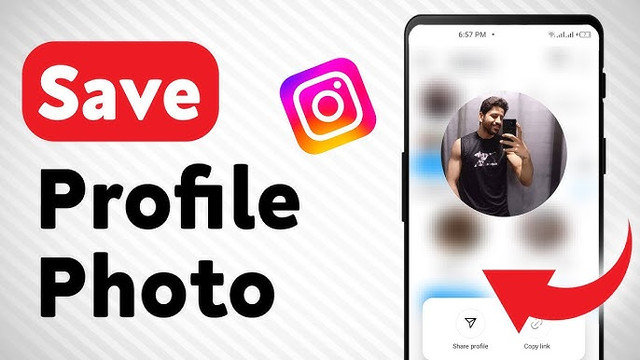
There are several methods people commonly use to save profile images. Each has its own advantages depending on your needs.
| Method | Ease of Use | Image Quality | Best For |
|---|---|---|---|
| Screenshot | Very Easy | Moderate | Quick reference |
| Browser viewing | Easy | Good | Public profiles |
| Profile image download tools | Easy | High | Better quality downloads |
| Cached images | Moderate | Varies | Previously viewed profiles |
If quality matters, a dedicated instagram dp download approach usually provides better results than simply taking a screenshot.
Before downloading any image, verify that the profile is public or that you already have permission if it belongs to someone you know.
Important Privacy Considerations
Downloading a profile picture may seem harmless, but responsible use matters.
Keep these principles in mind:
- Respect copyright ownership.
- Never impersonate another person.
- Avoid reposting someone else’s profile image without permission.
- Do not use downloaded images for commercial purposes unless authorized.
- Protect other people’s personal information.
Responsible online behavior benefits everyone and helps maintain trust across social platforms.
Remember that even publicly visible profile pictures still belong to their original owners.
Tips for Getting the Best Image Quality
Not every saved profile picture looks equally sharp. Several factors affect the final result.
For better image quality:
- Use the original image whenever possible.
- Avoid repeated compression.
- Save the highest available resolution.
- Do not crop multiple times.
- Store images in modern formats that preserve quality.
When performing an instagram dp download, choosing the highest available version helps preserve details such as logos, illustrations, and text.
If you’re saving profile pictures for design inspiration or research, organizing them into clearly labeled folders can also save time later.
Common Mistakes Users Make
Many people unknowingly reduce image quality or create unnecessary risks while trying to save Instagram profile pictures.
Here are several mistakes worth avoiding:
Using Low-Resolution Screenshots
Screenshots are convenient but often produce blurry images, especially after cropping.
Ignoring Privacy Rules
Just because an image is publicly visible does not mean it can be reused freely.
Downloading from Untrusted Sources
Some services ask for unnecessary permissions or account credentials. Never enter your Instagram password into third-party download pages.
Saving Multiple Compressed Copies
Every time an already compressed image is edited and saved again, quality may decrease.
Avoiding these mistakes makes the entire instagram dp download process safer and more effective.
When Downloading Profile Pictures Makes Sense
There are many completely reasonable situations where saving a profile image can be helpful.
Examples include:
- Creating contact directories.
- Researching brands.
- Following graphic design trends.
- Keeping client references.
- Organizing influencer collaborations.
- Monitoring company branding changes.
Professionals working in marketing, customer support, journalism, or design often keep visual references for legitimate business purposes.
The key difference lies in how the downloaded image is used afterward.
How to Stay Safe While Downloading Images
Online safety should always come first.
Follow these practical guidelines:
- Never provide your Instagram login credentials unless you’re signing in through the official app.
- Avoid websites filled with excessive advertisements.
- Be cautious of unexpected downloads.
- Keep your browser updated.
- Scan downloaded files if anything appears suspicious.
- Close pages requesting unnecessary permissions.
A secure instagram dp download experience should never require sensitive personal information.
If a service asks for passwords, payment details, or unusual permissions simply to download a profile picture, it is best to leave immediately.
Benefits of High-Quality Profile Images
High-quality profile pictures offer more than improved appearance.
Clear images help users:
- Recognize contacts faster.
- View artwork accurately.
- Examine branding elements.
- Compare logo updates.
- Organize digital collections.
Businesses also benefit from maintaining reference libraries for competitor analysis, provided they respect copyright and fair usage principles.
When images remain sharp, they become more useful for identification and documentation purposes.
Choosing the Right Download Method
Different users have different priorities.
Someone who only needs a quick visual reference may be satisfied with a screenshot, while designers or researchers often require a higher-quality version.
Consider these factors before choosing a method:
- Desired image quality.
- Download speed.
- Privacy protection.
- Device compatibility.
- Ease of use.
- Security.
Selecting the right instagram dp download approach depends on balancing convenience with image quality and online safety.
Best Practices for Responsible Image Storage

Once you’ve downloaded a profile picture, storing it properly helps keep your files organized and secure.
Some useful habits include:
- Rename files with meaningful names.
- Sort images into folders by category.
- Remove duplicates regularly.
- Back up important collections.
- Respect privacy when sharing devices.
These small organizational steps make it much easier to locate images later while reducing unnecessary storage clutter.
Responsible storage also minimizes accidental misuse or unintended sharing of someone else’s profile picture.
Conclusion
Saving Instagram profile pictures is a simple task when approached responsibly and with the right expectations. Whether you need a clearer view of a business logo, want to organize professional references, or simply wish to keep a personal contact image, understanding the available methods makes the process much smoother.
A safe instagram dp download focuses on image quality, user privacy, and responsible usage. Avoid suspicious services, never share your login credentials with unknown platforms, and always respect the ownership of the images you save. By following the practical tips outlined in this guide, you can download profile pictures efficiently while maintaining ethical online behavior and protecting your own digital security.

